
The AppOne integration is a powerful feature that allows your dealership to streamline the financing process by sending major unit deals directly from DX1 into AppOne. This integration eliminates the need for retyping deal information, enabling your F&I team to focus on what they do best—helping customers secure financing. AppOne offers essential tools for credit applications, lender submissions, and financing documents, making it an invaluable resource for your dealership.
Setting Up the Integration
To get started with the AppOne integration, follow these steps:
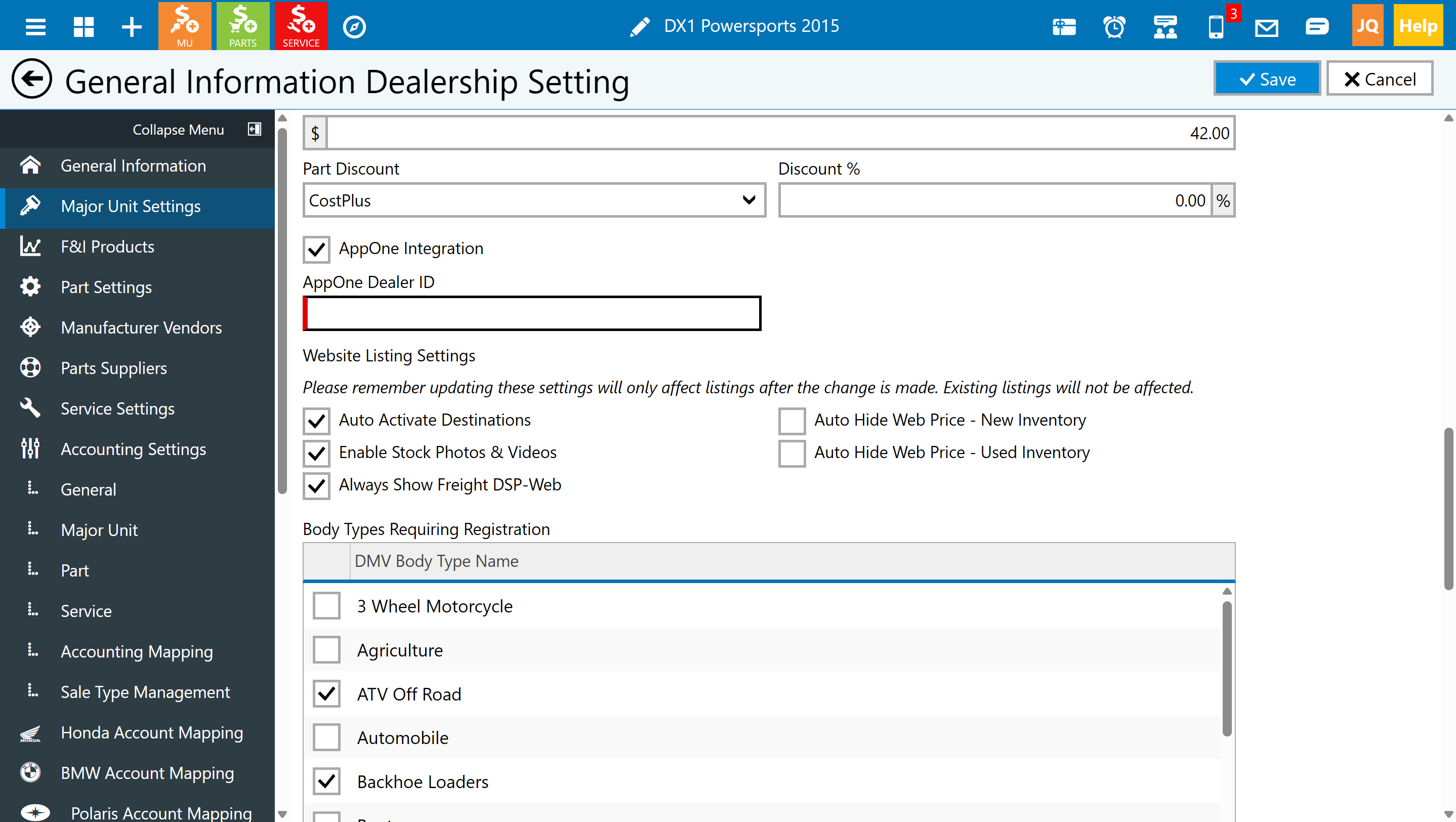
1. Confirm Your AppOne Account: Ensure you have an active AppOne account and verify your AppOne LotID. This unique identifier is crucial for the integration to function correctly.
2. Access DX1 Settings**: In DX1, navigate to the user menu, then select **Dealership Settings** followed by **Major Unit Settings**.
3. Enable AppOne Integration: Check the box for AppOne Integration to activate the feature.
4. Enter Your LotID: Input your AppOne Dealer LotID in the designated field and save your changes.
5. Run Application Reset: From the user menu, perform an Application Reset. This refresh is necessary for the integration button to become available.
Using the Integration
Once set up, using the AppOne integration is straightforward:
1. Navigate to Active Sales: Go to **Major Units** → **Sales** → **Active Sale**.
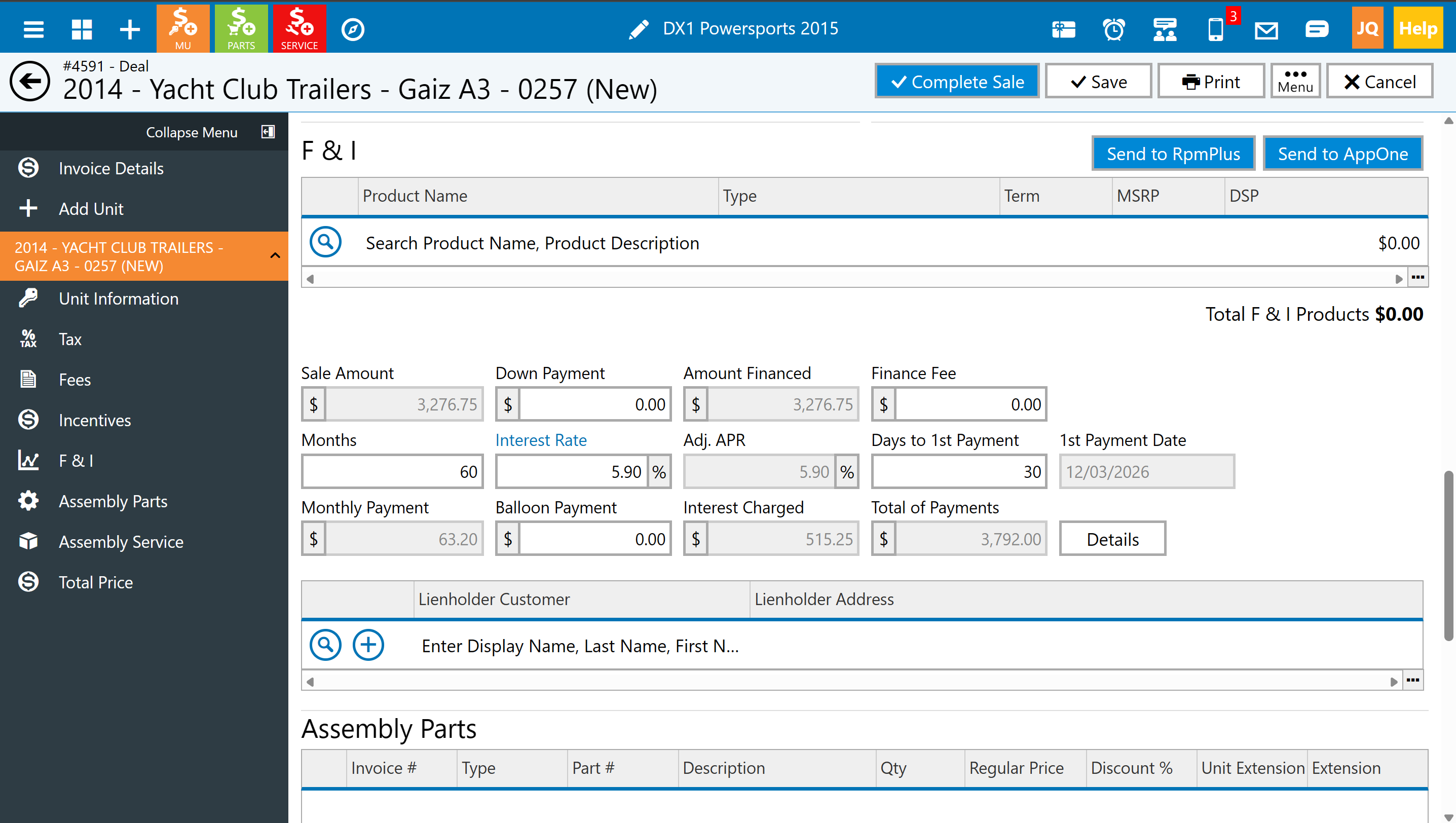
2. Open a Deal: Select a deal, save any recent changes, and access the unit’s F&I section.
3. Send to AppOne**: Click the **Send to AppOne** button. After sending, you will receive a success message, and the application will open in a new browser tab for further processing.
If you attempt to send a deal that has been previously submitted, DX1 will prompt you with “Resubmit Deal to AppOne?” Confirming this will send the latest information and update the existing application in AppOne. Be aware that resubmission can overwrite previously sent information.
Troubleshooting
If the **Send to AppOne** button is missing, please check the following:
- Ensure that AppOne is enabled, the Dealer ID is saved, and the Application Reset has been completed.
- Confirm that the record is a Deal in Active Sale; quotes, accounting-stage deals, completed, closed, and voided deals are not eligible for submission.
Both Retail Individual and Retail Business deals are supported. If DX1 indicates success but the AppOne tab does not open, check your browser’s popup blocker settings.
For any further inquiries or assistance, please contact DX1 Support at (877) 944-6766 or via email at dx1support@dx1app.com. We’re here to help you make the most of your AppOne integration!