
Update the manufacturer name shown on your website without changing the vendor's legal name.
i
Before you begin: Your DX1 user account needs access to Accounting > Vendors. The Manufacturer Marketing Name field is editable only for private vendors. If the field is unavailable, the manufacturer is public and its name cannot be changed from this page.
Update the website display name
-
1
Open Vendors
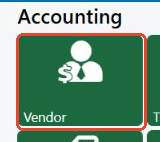
From the DX1 Dashboard, under Accounting, select Vendor.
-
2
Find the private manufacturer
In Vendors, enter the vendor's current name in the search field and select Search. Select the Major Unit Manufacturer row you want to update.

-
3
Enter the website name
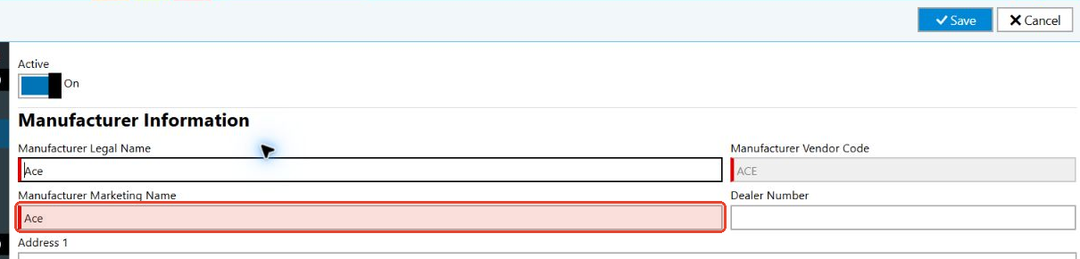
Under Manufacturer Information, replace the value in Manufacturer Marketing Name with the name you want customers to see on your website.
Do not change Manufacturer Legal Name unless the vendor's legal name has also changed.
-
4
Save the vendor
Select Save.
DX1 saves the new marketing name for the private manufacturer. The legal name remains unchanged.