
What “Charge to MU” means
An internal sale records parts, service, or both against the cost of an in-stock major unit. The charge can affect the unit’s cost, the customer’s sale price, or both, depending on the internal sale type selected.
This is different from attaching a customer’s Parts or Service invoice to a major unit deal. In an internal sale, the unit is the Sold To record. Attaching a customer invoice to a parent deal is a separate process.
Pro Tip: Use internal sales for work the dealership wants to record against the unit before it is available for sale. Use the separate invoice attachment process when a customer is buying parts or service with a unit and those invoices need to be associated with the deal.
Find the unit and review its current charges
1. Open Major Unit Management and select an in-stock unit.
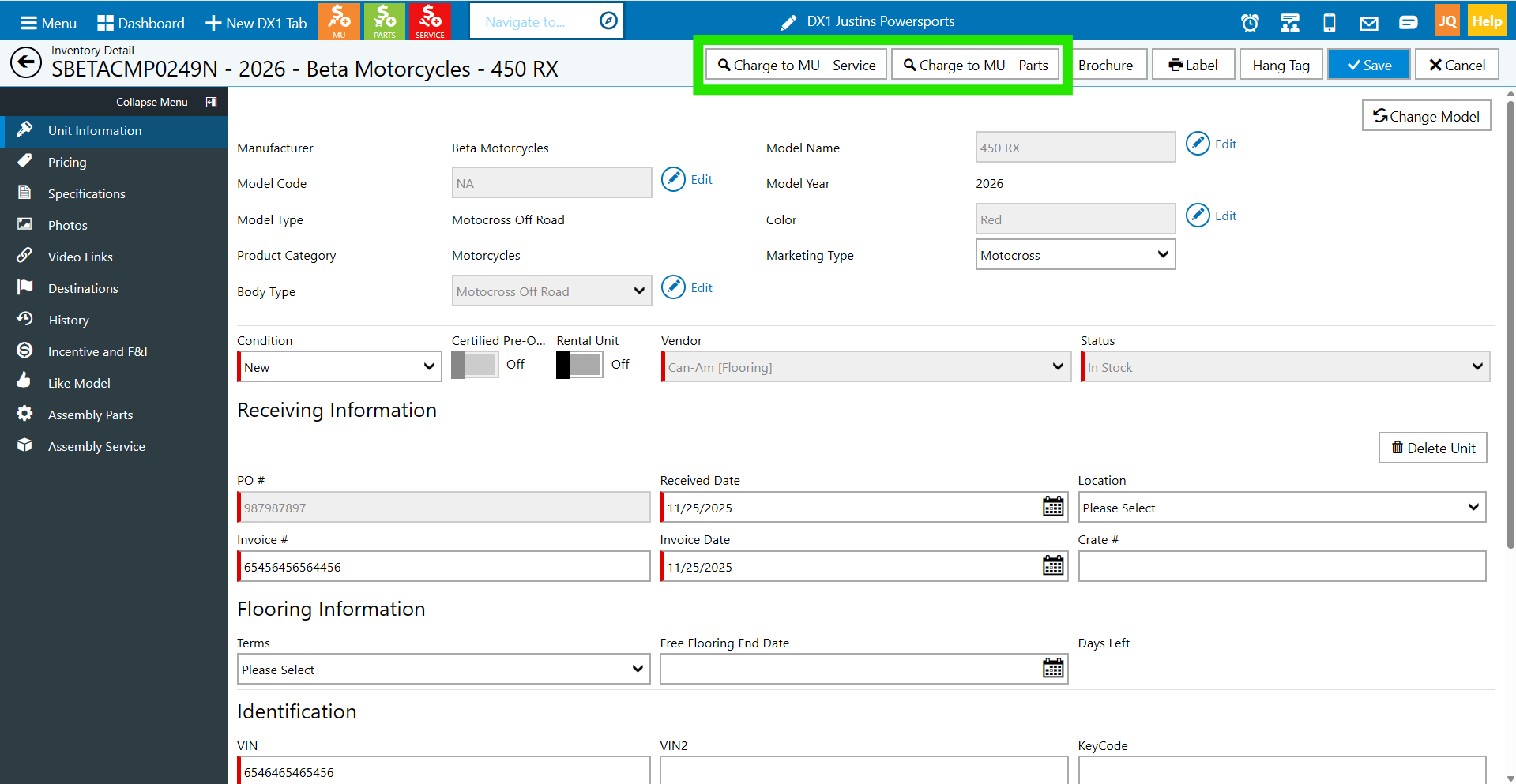
2. From Unit Information, use Charge to MU Parts or Charge to MU Service to start the appropriate invoice.
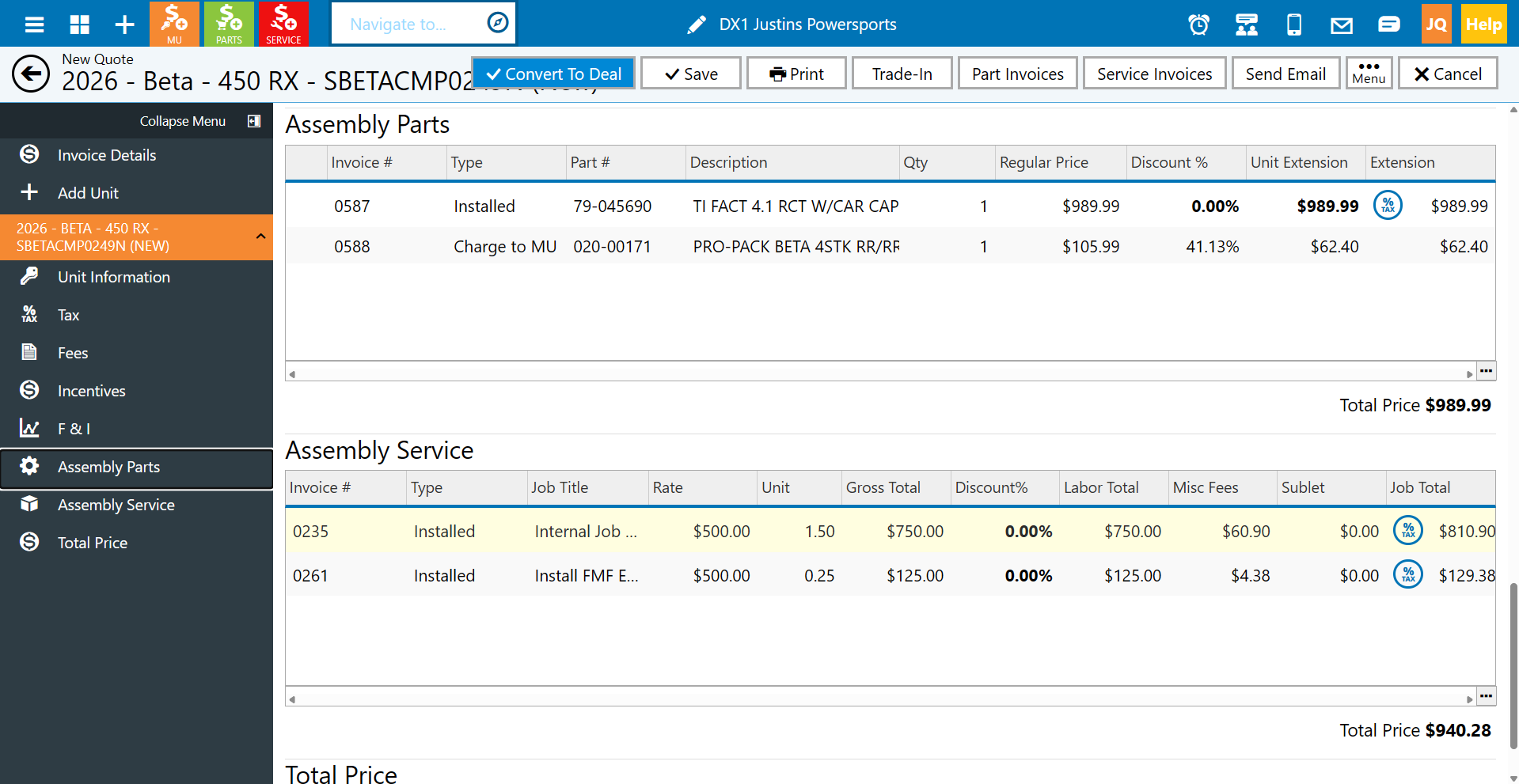
3. You can also open Assembly Parts or Assembly Service to review internal sales already recorded for the unit. From either section, use Charge to MU to start another invoice of that type.
The Assembly Parts and Assembly Service sections help you review what has already been charged to the unit. Depending on the section, the details can include the invoice number, sale type, part number, and service information.
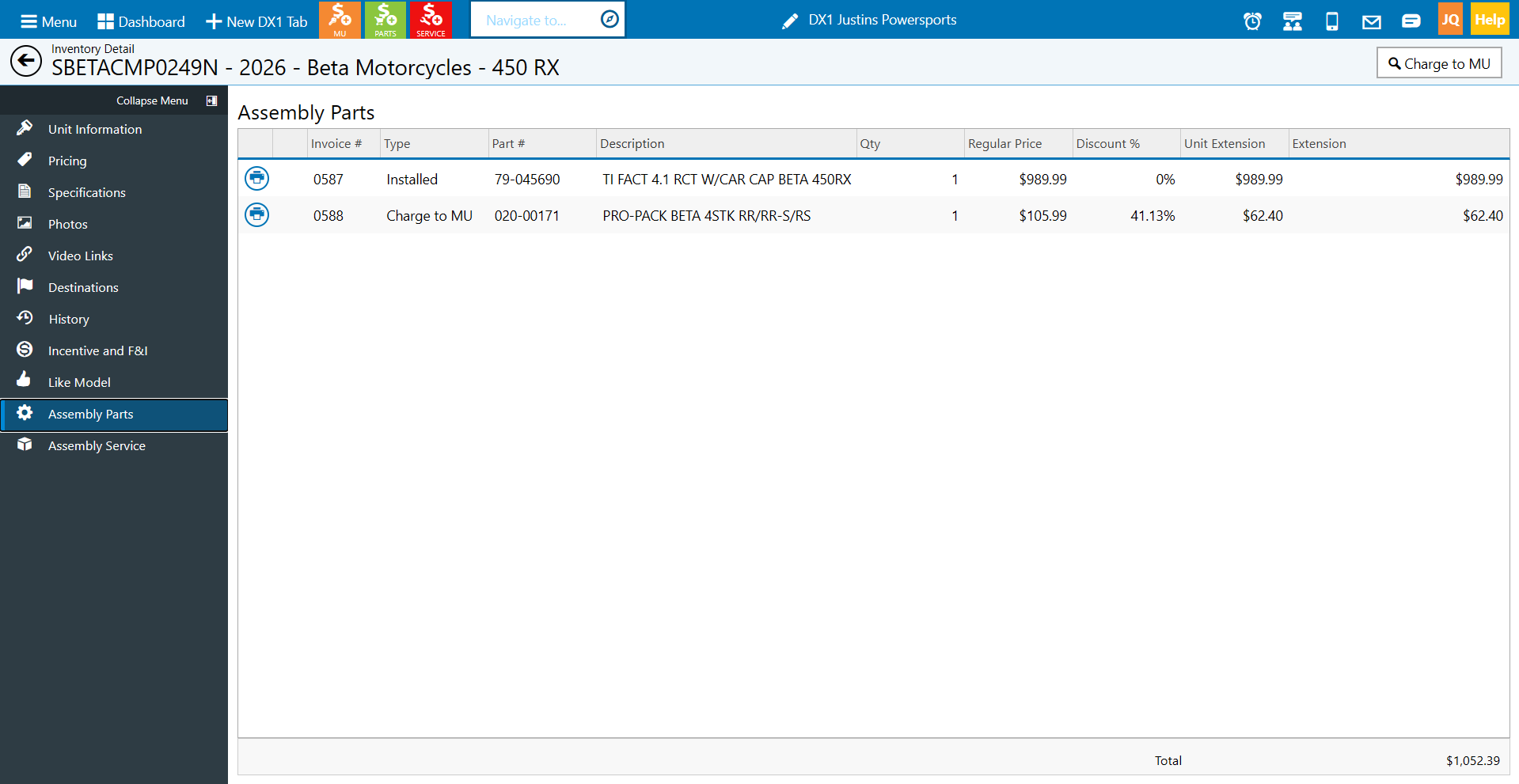
Why it matters: Reviewing the unit’s existing charges helps you understand its current costs before adding more work or evaluating the deal.
Select the internal sale type
The available sale types depend on whether you are creating a Parts or Service invoice and may also depend on the unit or deal status. Select the question mark in the sale type window to view the definitions available in DX1.
Sale type How it affects the unit and deal
| Sale type | How it affects the unit and deal |
|---|---|
| Charge to MU | Adds the parts or service cost to the unit. The amount is not added to the customer’s sale price. |
| Non-Installed | Adds both cost and sale price to the deal. This is commonly used for parts that go with the unit but are not installed, such as a required flag and mount. |
| Installed | Available on the Service side. Adds the service or installation cost and sale price to the deal. |
| Pre-Delivery | For warranty or claim work on a unit still in stock. The work does not add cost or sale price to the deal. |
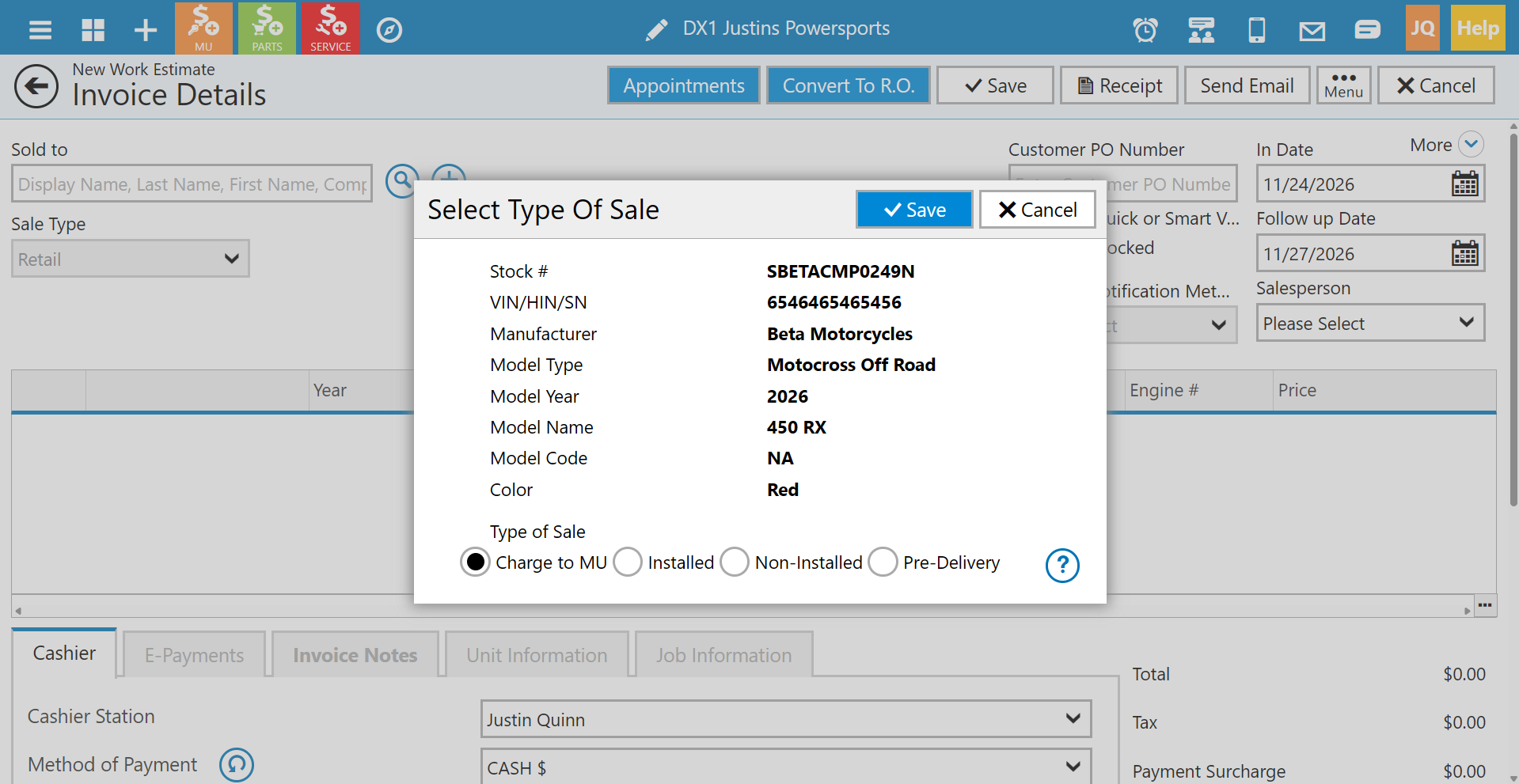
Pro Tip: Choose the type based on how the dealership wants the work represented in the unit’s cost and deal profitability, not simply on where the work is being performed.
Create a Parts internal sale
1. Start a new Parts invoice, or select Charge to MU Parts from the unit detail.
2. Find the unit by entering its VIN or stock number and selecting Search, or use the unit search.
3. Select the unit and choose the appropriate internal sale type.
4. Add the parts to the invoice.
5. Confirm that the unit appears in Sold To and that the intended sale type is shown.
6. Select Complete Sale.
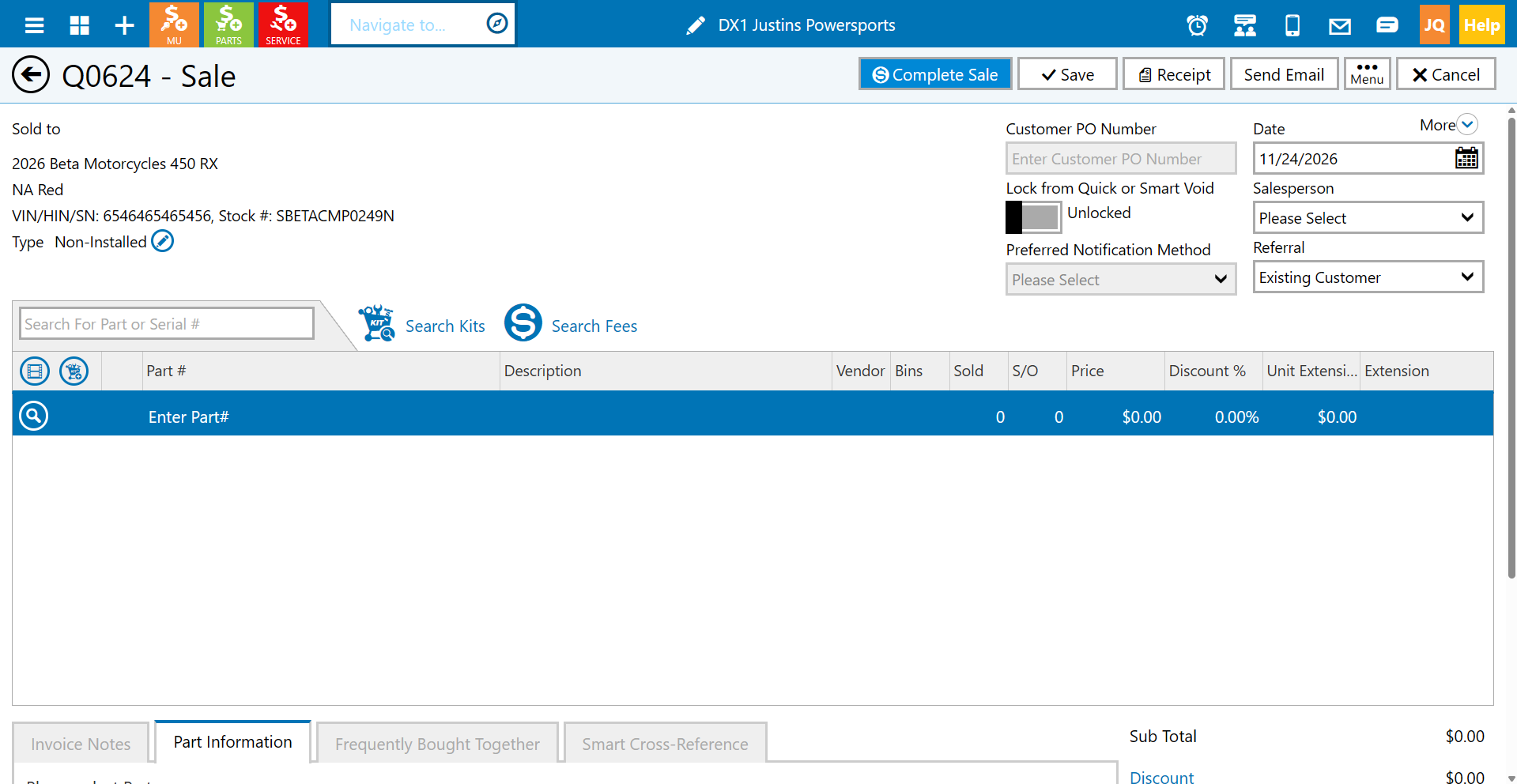
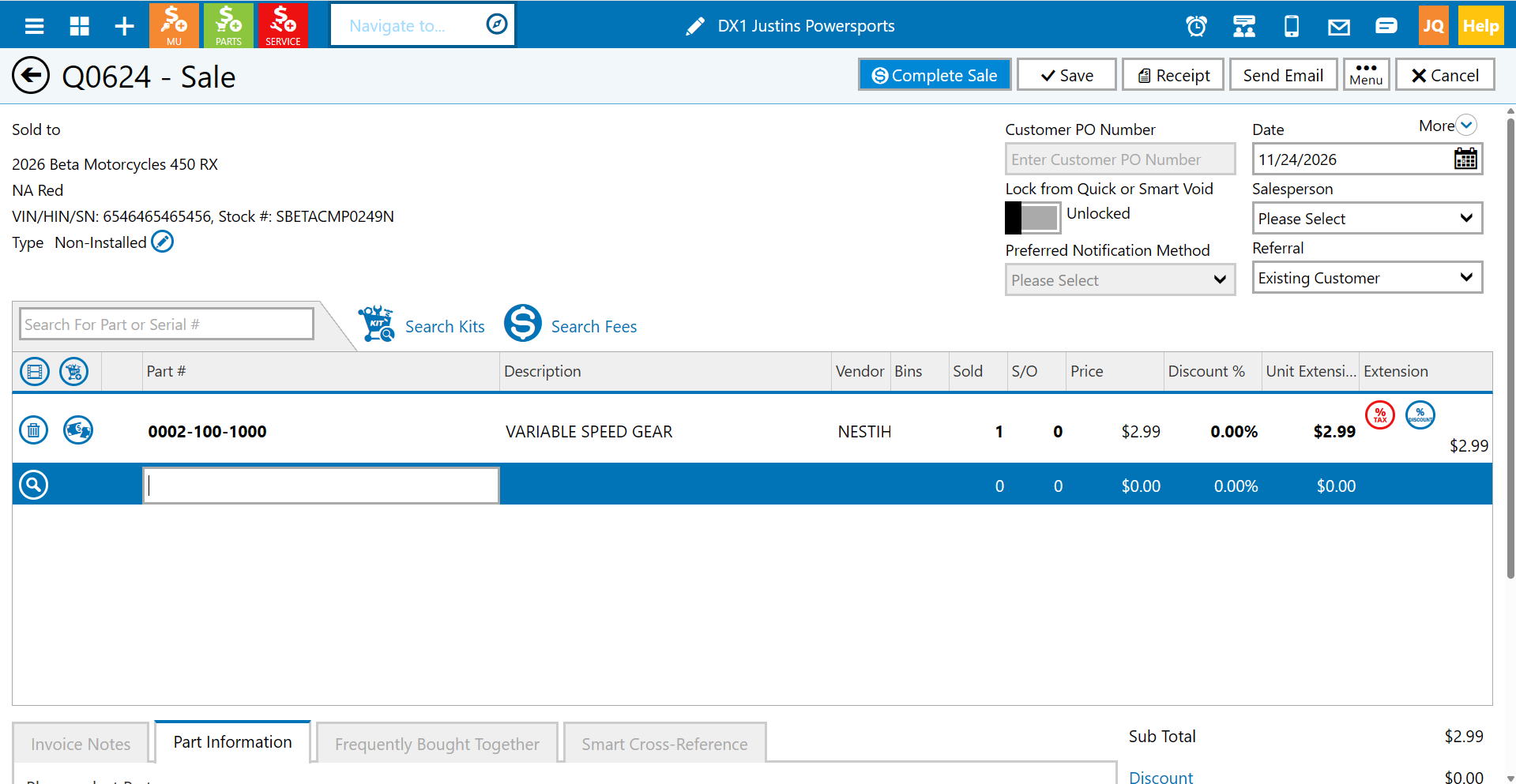
An internal sale does not use the normal retail payment step. The invoice records the parts against the unit instead of collecting payment as a customer sale.
If a part needs to be special ordered, DX1 creates a special order record tied to the unit so the dealership can track the part through fulfillment.
Create a Service internal sale
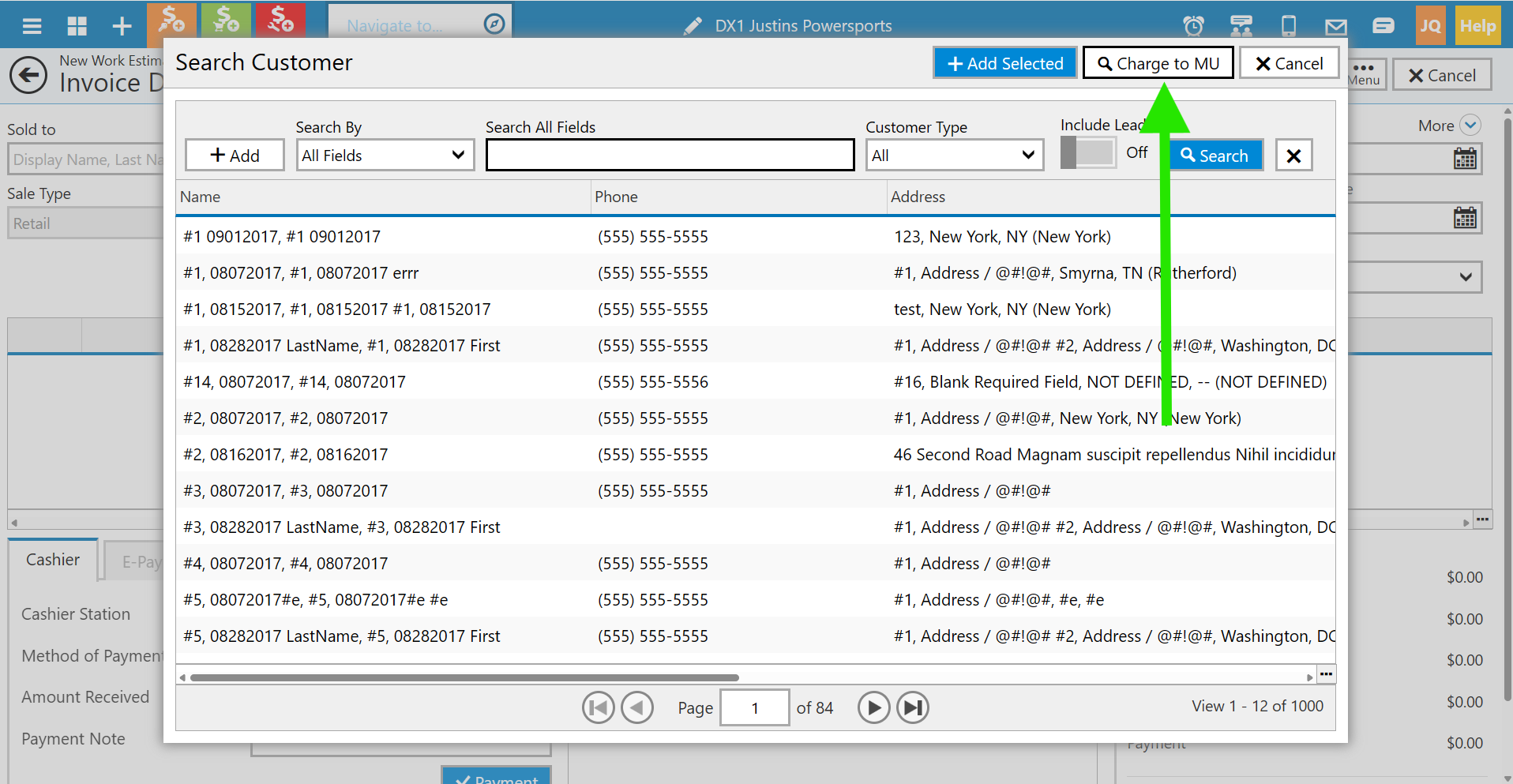
1. Start a new Service invoice, or select Charge to MU Service from the unit detail.
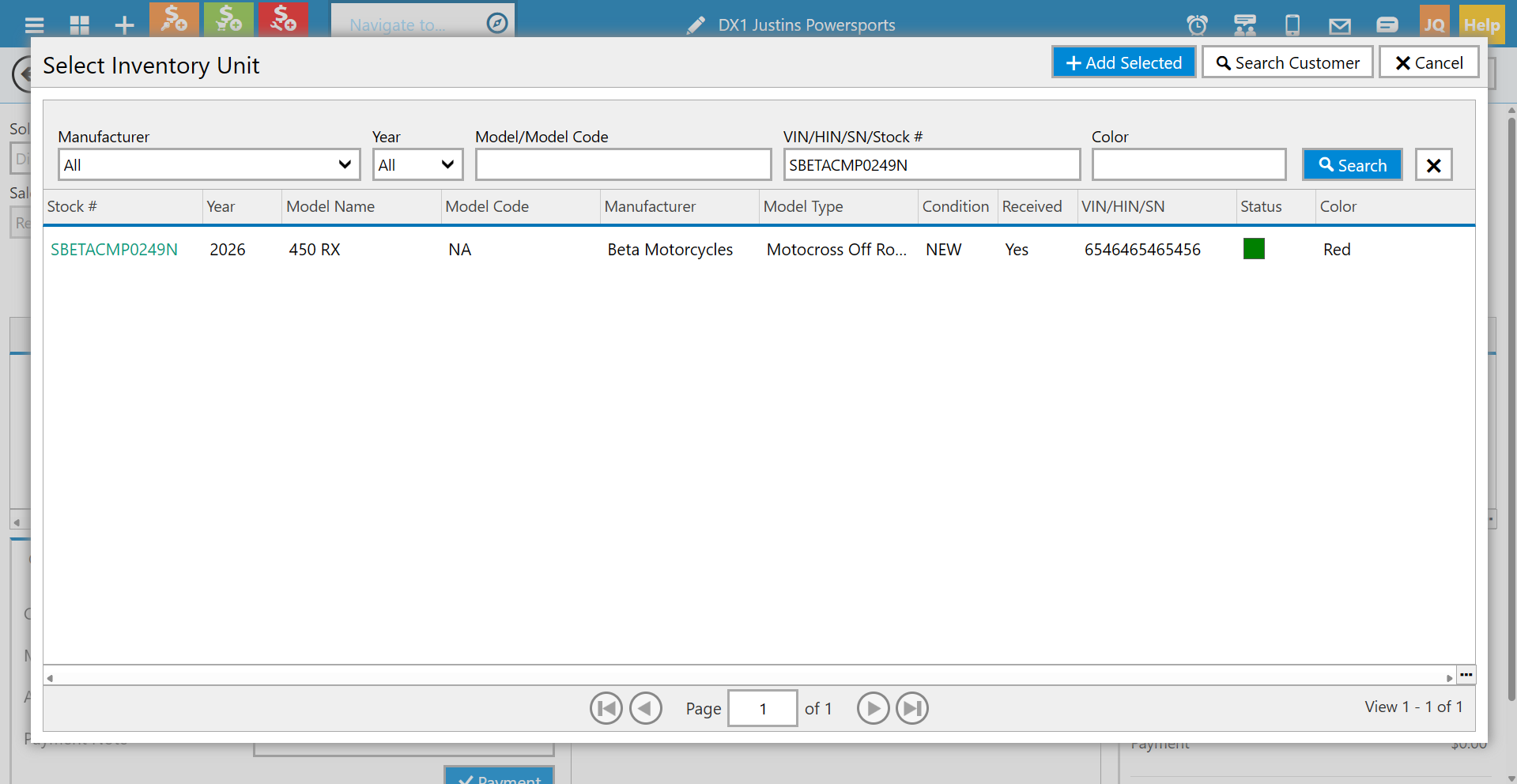
2. Search for the unit by model, stock number, or another available unit detail.
3. Select the unit and choose the appropriate internal sale type.
4. Add a job with the work to be performed.
5. Add the related parts or labor, then complete the invoice using the normal Service process.
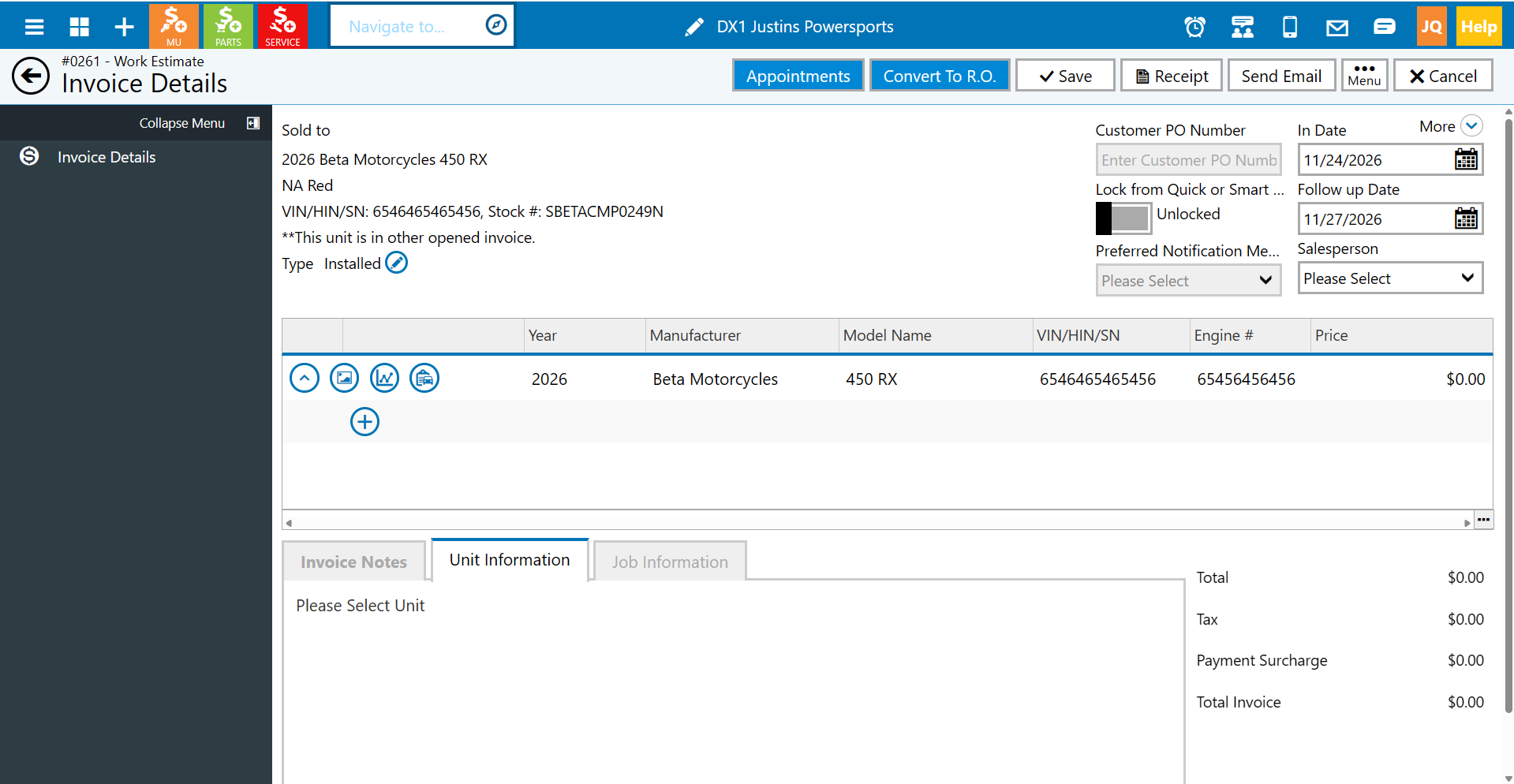
Pro Tip: Use Installed when the service work or installation should be reflected in both the unit’s cost and the deal’s sale price. If the dealership is absorbing the cost without passing it into the sale price, review Charge to MU instead.
Review the effect on the unit and deal
After completing an internal sale, return to the unit detail and refresh the page. Review Assembly Parts or Assembly Service to confirm the invoice is recorded against the correct unit.
When the unit is on a deal, the deal profitability view shows the parts and service amounts associated with the unit. The selected internal sale type determines whether those amounts appear as cost only, sale price and cost, or neither.
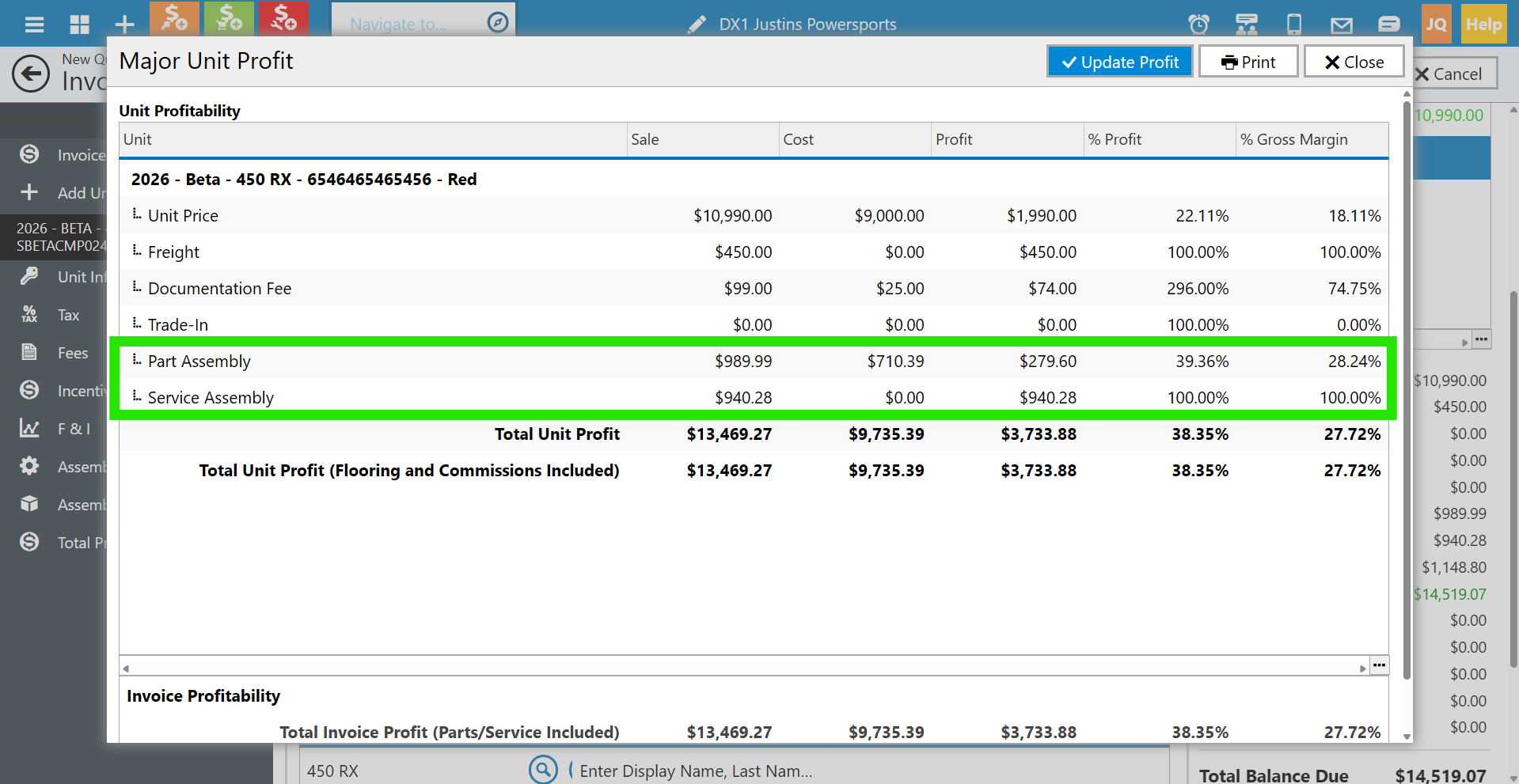
Why it matters: Reviewing both the unit detail and deal profitability helps confirm the charges landed where expected before the deal is finalized.
Work in progress can prevent deal posting
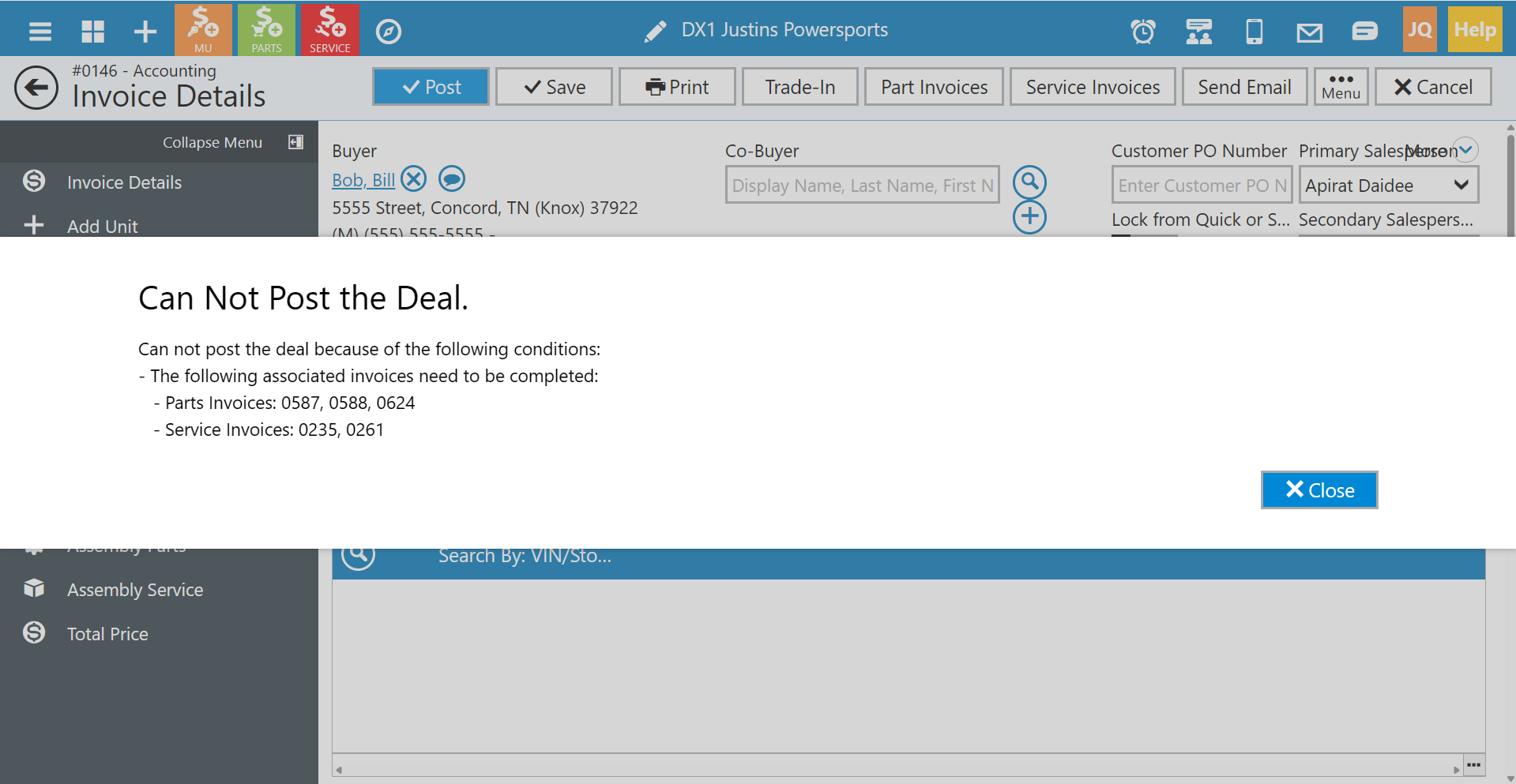
DX1 will not allow a deal to post while internal sale work that affects the unit’s cost remains open. For example, a special order or unfinished service work may still change the unit’s cost.
Complete the related invoices and work, then return to the deal and try posting again.
For help, contact DX1 Support at 877-944-6766 or visit DX1support.com.