Smart Cross-Reference
Smart Cross-Reference helps you quickly compare identical parts across multiple vendors so you can make better purchasing and pricing decisions—without leaving the invoice.
What is Smart Cross-Reference?
Smart Cross-Reference allows you to identify the exact same product available from different vendors and compare key data points side-by-side.
This helps you:
Find better pricing opportunities
Check inventory availability
Quickly switch parts between vendors when needed
What You Can Do
With Smart Cross-Reference, you can:
Compare
MSRP (Price)
Cost
Margin
Check Inventory
Quantity on Hand (QOH)
Quantity Available (Q/A)
Verify Availability
Vendor warehouse stock (when provided)
Swap Parts
Replace a part on your invoice with a matching vendor part in one click
Where to Find Smart Cross-Reference
You can access Smart Cross-Reference from the Parts Invoice screen:
Located next to the Frequently Bought Together tab
Only available when a part is selected
If no part is selected, the tab will appear inactive and show no results
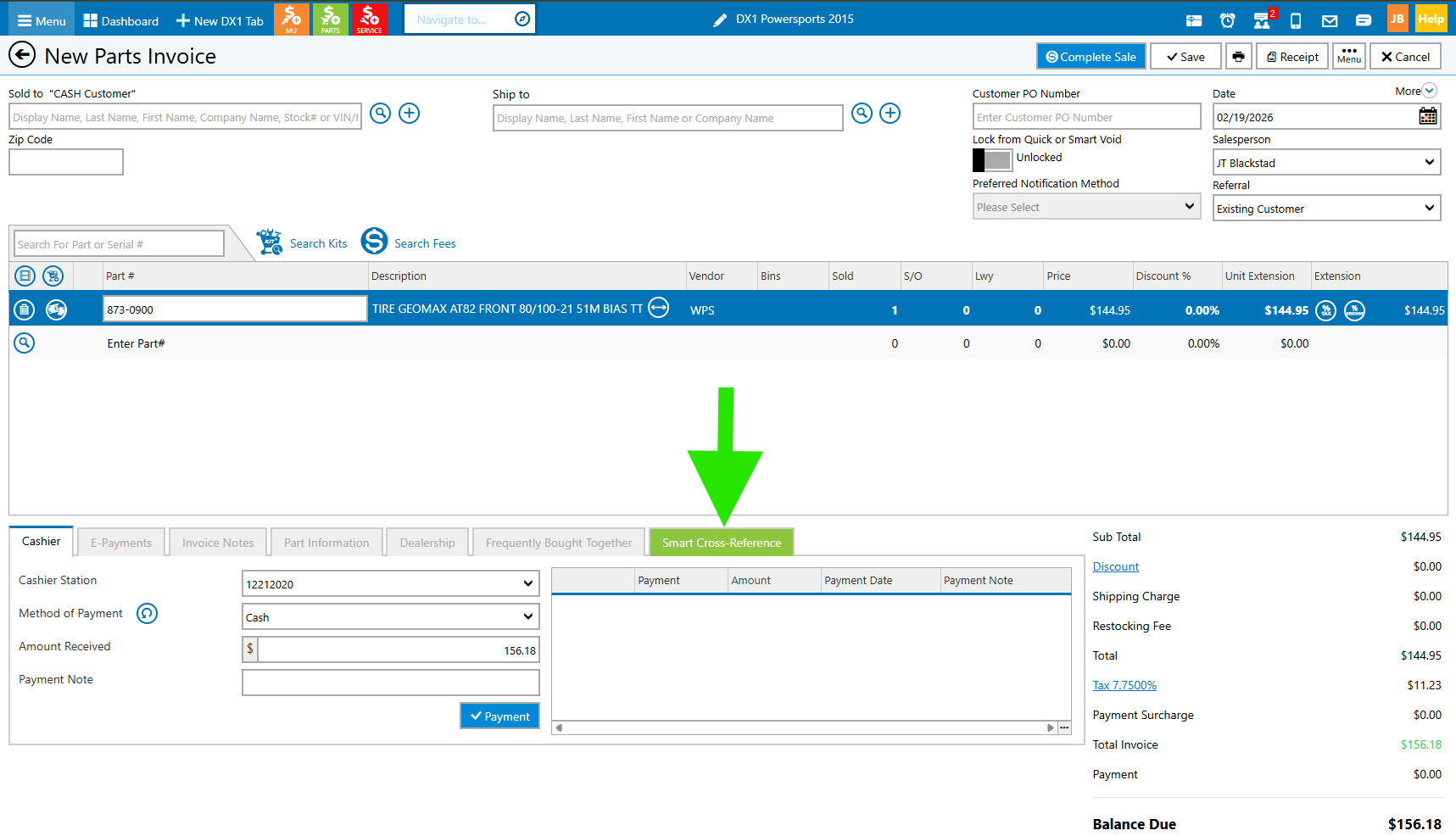
Note: The tab is only available on active invoice types (e.g., New, On-Hold, Pickup/Refund). It will not appear on completed or voided invoices.
Smart Cross-Reference Grid Explained
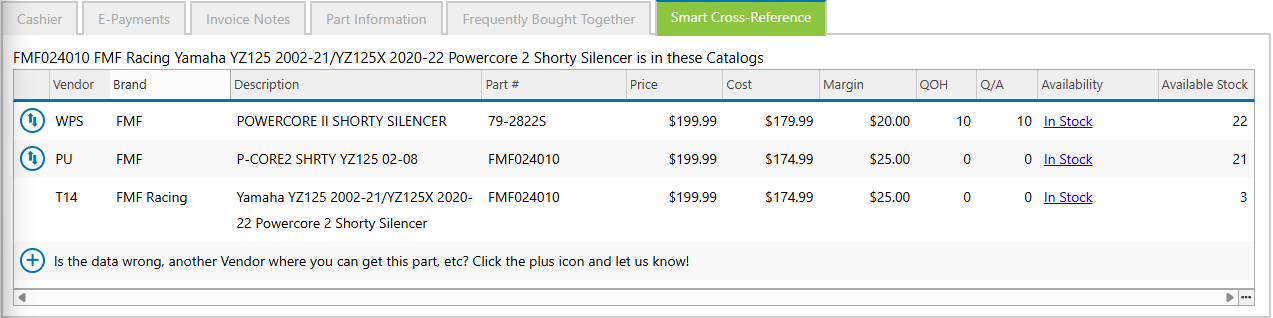
The grid displays matching parts from other vendors along with key details:
Columns
Vendor – Supplier of the part
Brand – Manufacturer brand
Description – Product description
Part # – Vendor part number
Price – Your selling price
Cost – Your cost
Margin – Calculated (Price - Cost)
QOH – Quantity on Hand
Q/A – Quantity Available
Availability – Vendor warehouse status
Availability Status
In Stock – Vendor has inventory available
No Stock – Vendor has no inventory
N/A – Vendor does not provide availability data
Available Stock reflects the total inventory across all vendor warehouses (when available).
Swap Icon (Allocate)
Allows you to replace the selected invoice part with a matching part from another vendor
Works with a single click
Disabled in certain cases (e.g., return items in Pickup/Refund invoices)
Which Products Are Considered Identical?
A product will only appear in Smart Cross-Reference if it is the exact same item across vendors.
Examples of Matches
The same part is available from multiple distributors (e.g., Parts Unlimited, WPS, Turn14)
Products that would result in the exact same item being shipped
What Is NOT Considered a Match
The following will NOT appear in Smart Cross-Reference:
OEM vs Aftermarket equivalents
Example: Yamaha oil filter vs K&N oil filter
Heavy-duty vs standard-duty variations
Example: Different axle versions
Same application but different brands
Example: NGK vs Denso spark plugs
Different products with similar descriptions
Important: If the product is not identical, it will not be shown to avoid confusion.
No Results / Special Cases
You may see “No records found” when:
No identical parts exist across vendors
No part is selected on the invoice
You will also see no results for:
Private parts
Miscellaneous items
Shipping, fees, or gift cards
That’s It!
You’re ready to start using Smart Cross-Reference to compare parts, improve margins, and streamline your workflow.
Need Help?
If you have questions or need assistance, contact our support team at DX1Support@DX1APP.com or with any of the methods below: